How to Make a Window Peeper AI Burger Eating Video
You can make the AI burger eating window video right here with Window Peeper AI. Our generator turns one photo of a person you have permission to feature into an original 15-second, 9:16 MP4: the camera moves in from a night street, finds a lit window, and catches the subject eating a burger, looking toward the camera, and closing the curtain. Choose 480p or 720p and review the exact credit cost before you start.
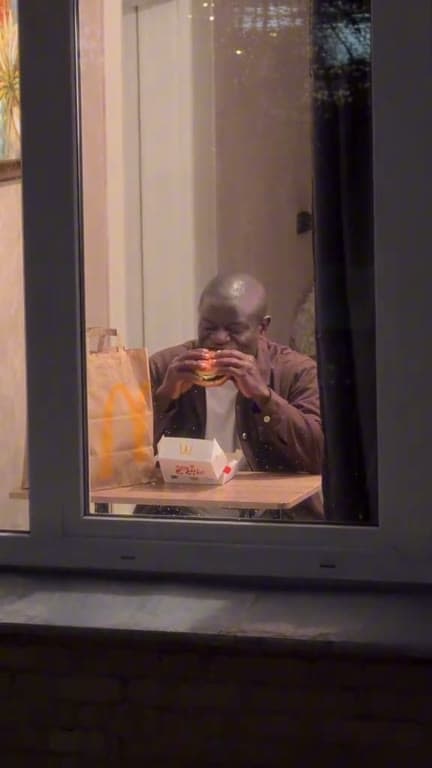 Scene preview
Get your photo ready for our generator
Start with one clear JPG, PNG or WebP photo, up to 10 MB, showing one recognizable person. Upload only a photo you have permission to use for an AI video. Our scene supplies the burger, night street and lit window, so those do not need to appear in your photo.
The generated result can vary in likeness, clothing, hands and movement. The image on this page is a scene preview, not a result made from your photo; review your own finished video before sharing it.
Create your video with Window Peeper AI
1. Select the Create my Window Peeper video button below to open our generator, then upload your photo. Confirm that you have permission to feature the person.
2. Choose 480p or 720p. We show the credit cost for your selected quality before generation, so you can decide before submitting. Video generation uses credits from one-time packs; there is no free generation trial or subscription.
3. Start your video and follow its progress in your private library. Once storage succeeds, your MP4 is ready to download for seven days.
What our finished video contains
Every video follows our prepared 15-second, 9:16 portrait scene: a move in from the night street, a warmly lit window, a burger bite, a look toward the camera, and a curtain close. It is a fictional AI-created scene, not a recording through a real person's window.
Choose generated audio or silent output before you start. We store the returned video directly, without adding music afterward, and you do not need CapCut to make the base video.
Your photo, credits and download
Your source photo is scheduled for deletion within 24 hours, including failed and partial uploads. Your completed video stays private to your account for seven days. Credits settle only after the video is stored successfully; a confirmed generation failure releases the reservation.