How to Do the Window Peeper Trend Without CapCut
Yes—you can create the Window Peeper video directly with Window Peeper AI, without CapCut. Our generator makes a new 15-second, 9:16 MP4 from one photo of a person you have permission to feature. The scene is already directed, so you can skip searching for a template and assembling clips on an editing timeline.
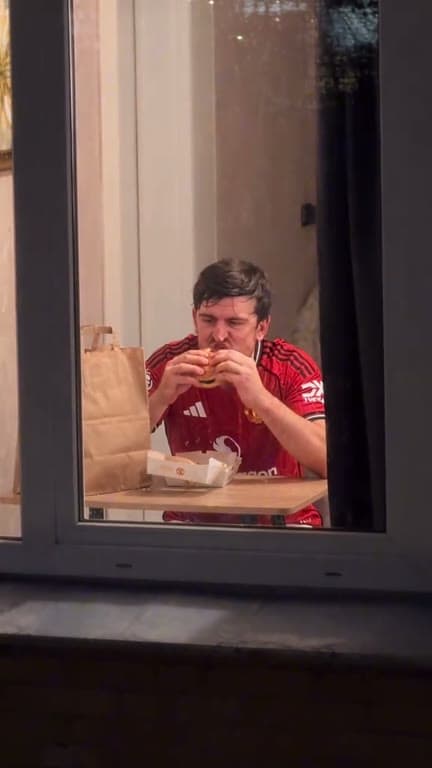 Scene preview
Make your video with our generator
1. Open the Window Peeper AI generator on this site and upload one clear photo of a person you have permission to feature.
2. Choose 480p or 720p. We display that quality's credit cost before you submit. Our fixed scene moves from a night street to a lit window, then shows a burger bite, a look toward the camera, and a curtain close.
3. Start your video and download the MP4 from your private library after it is stored successfully. The finished file is a 15-second vertical video.
Why you can skip CapCut
Our generator creates a new AI scene from your still photo. It does not import a CapCut template or reuse an existing trend clip, and Window Peeper AI is not affiliated with CapCut.
CapCut or another editor is optional if you want to make your own changes after downloading, such as adding captions. You can also choose generated audio or silent output before creating your Window Peeper video; we do not add a soundtrack afterward.
See the price before you start
Browsing Window Peeper AI is free, but video generation uses credits from one-time packs. There is no free generation trial or subscription. We show the exact cost for 480p or 720p before you submit, so you can decide whether to continue first.
Know how we handle your photo
Upload only a photo you have permission to use and transform into an AI video. We schedule the source photo for deletion within 24 hours, including failed and partial uploads; your completed video stays private to your account for seven days.